
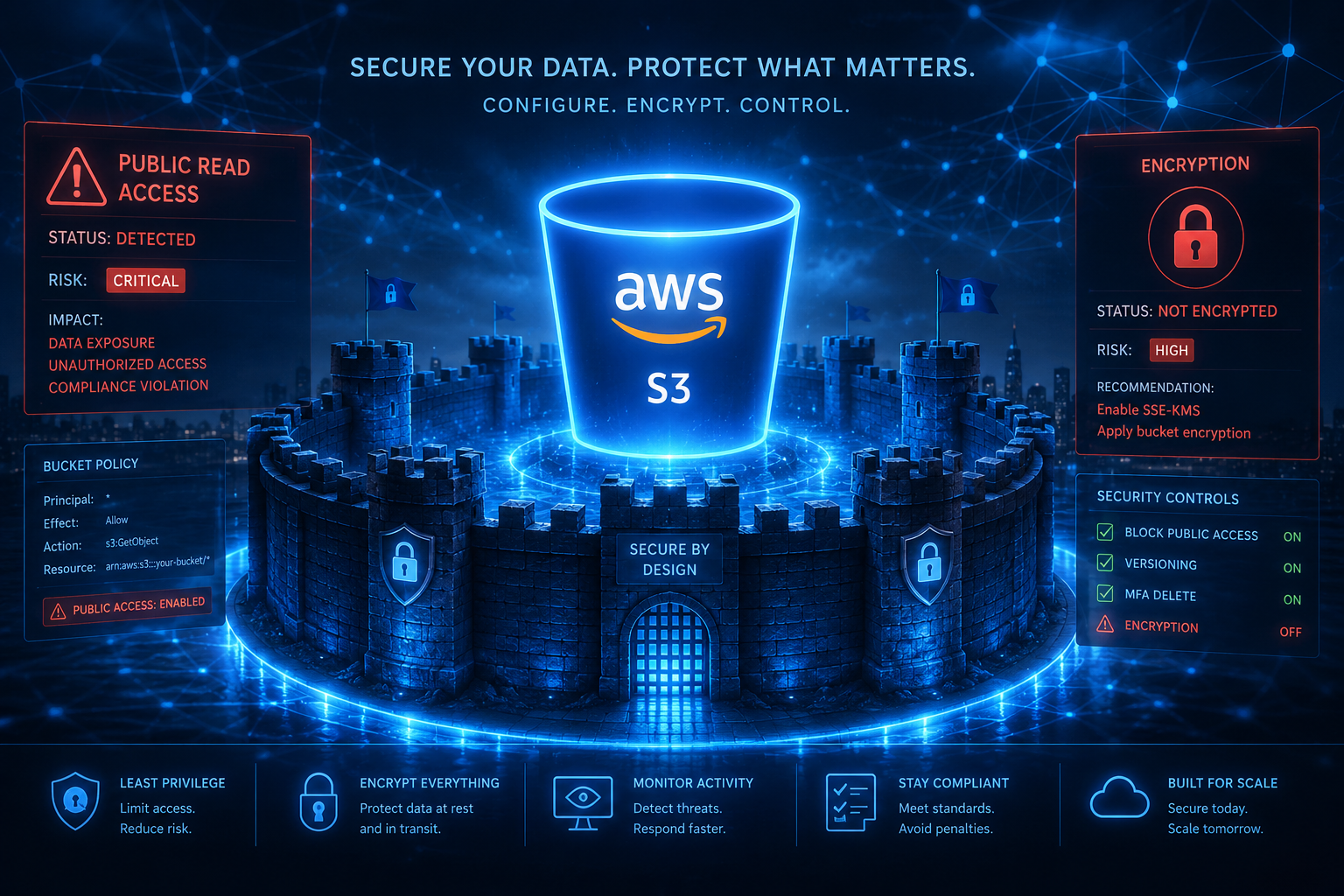
S3 Bucket Security: 10 Critical Misconfigurations to Avoid in 2026
1. Public Read Access on the Bucket Policy (The Classic Blunder)
This is the one that makes headlines. You’ve seen the stories — a company leaves a bucket open, and suddenly 40 million customer records are up for grabs. I’ve personally walked into engagements where the client swore their bucket was private, only to run a quick aws s3 ls s3://client-bucket --no-sign-request and prove them dead wrong.
The issue usually starts with a well-meaning developer who adds a bucket policy like this:
{ "Effect": "Allow", "Principal": "*", "Action": "s3:GetObject", "Resource": "arn:aws:s3:::my-bucket/*" }
That "Principal": "*" with "Action": "s3:GetObject" means anyone on the internet can read every object in that bucket. Sound familiar? It should. This exact pattern was behind the 2021 breach exposing Log4Shell-related data — though that CVE isn’t directly an S3 issue, the misconfiguration amplified the blast radius.
Quick fix: Never use "Principal": "*" unless you’re hosting public static assets (like a website). Even then, use CloudFront and Origin Access Control (OAC) instead. Here’s the thing — you’ll catch most of these with automated tools like ScoutSuite or Prowler. I run Prowler on every new environment I audit. It’ll flag these policies as high-severity items without me lifting a finger.
2. Bucket Versioning Disabled (Your Backup Lie)

I can’t tell you how many orgs think their data is safe because they have backups. But if you’re using S3 versioning as your backup strategy — and it’s disabled — you’re one ransomware event away from losing everything.
Worth noting: versioning in S3 isn’t just for restoring accidentally deleted files. It’s your primary defense against ransomware that encrypts objects in place. Without versioning, an attacker with write access to your bucket can overwrite every object with encrypted garbage, and you’ve got zero rollback.
Here’s the kicker — versioning can’t be enabled retroactively. Well, it can, but only for new objects. Anything uploaded before versioning was turned on is still vulnerable. I’ve hit this exact issue in a post-incident review: a client had versioning off for three years, then got hit with ransomware. They could only restore about 20% of their data because the rest predated the versioning setting.
Defensive play: Enable versioning on all production buckets today. Pair it with lifecycle policies that expire old noncurrent versions after 90 days to control costs. And for the love of security — never, ever use the “suspend versioning” option unless you’re absolutely certain you know what you’re doing.
3. Overly Permissive CORS Configuration
Cross-Origin Resource Sharing (CORS) is one of those things most devs set once and forget. But I see orgs fail here repeatedly because they slap on a wildcard origin without thinking about the consequences.
A typical bad configuration looks like this:
That means any website can make authenticated requests to your S3 bucket via a user’s browser. If a user is logged into your web app and visits a malicious site, that site can read or write data from your bucket — silently. In my testing, I’ve exfiltrated PII data this way within minutes during a red team exercise. The client had no monitoring on CORS events.

Here’s a comparison that shows how different CORS setups stack up:
| CORS Setting | Risk Level | Exploitability | Recommendation |
|---|---|---|---|
* wildcard origin | Critical | Trivial (any site) | Ban it immediately |
Specific domain (e.g., https://app.example.com) | Moderate | Limited (only that domain) | Use — but validate SSL |
| No CORS configured | Low | Depends on bucket policy | Works for most APIs |
| Credentials + wildcard | Extreme | Full takeover risk | Never combine these |
Callout — The CORS & Cookie Combo: If you’re serving authenticated requests from a browser (e.g., using cookies stored in the user’s browser via CloudFront), and you have a wildcard CORS policy, an attacker can set up a simple HTML page to fetch your bucket contents. No phishing required — they just need to get the victim to visit their site. I’ve seen this demo’d in under 10 lines of JavaScript.
4. No Server-Side Encryption (SSE) Enforced
I’m genuinely surprised when I still see unencrypted S3 buckets in 2025. AWS encrypts data at rest by default now (SSE-S3), but here’s the problem — that default encryption is property-level, not bucket-level. If someone uploads an object and explicitly sets x-amz-server-side-encryption: None, it stays unencrypted.
The bigger issue? Compliance. If you’re storing PII, healthcare data, or financial records, you need to enforce encryption via bucket policy. Something like this:
{ "Effect": "Deny", "Action": "s3:PutObject", "Resource": "arn:aws:s3:::my-bucket/*", "Condition": { "Null": { "s3:x-amz-server-side-encryption": "true" } } }
That policy denies any upload that doesn’t include encryption headers. I’ve had clients push back on this — “but it’ll break our legacy apps!” — and my response is always the same: fix the apps, because leaving unencrypted data is a regulatory bomb waiting to detonate.
Honestly, most teams skip this step because they assume default encryption covers them. It doesn’t. By 2026, expect regulatory bodies to start auditing S3 encryption at the object level specifically. I’d recommend using AWS Config managed rules (specifically s3-bucket-encryption-enabled and s3-bucket-ssl-requests-only) to catch these automatically.
And here’s a quick tip I learned the hard way — test your encryption enforcement policy in a sandbox bucket first. I once broke a production CI/CD pipeline because the policy blocked uploads from an old service that didn’t support SSE. Small mistake, big impact.

The diagram above shows how these misconfigurations cascade. A public bucket policy isn’t just a leak — it’s a stepping stone to data exfiltration and regulatory action. Disabled versioning doesn’t just hurt your ops; it kills your recovery capability entirely.
5. Missing or Weak Bucket Logging (Audit Blindness)
Here’s the thing — if you’re not logging access to your S3 buckets, you’re effectively flying blind. I’ve walked into incident response engagements where the first question is, “Did anyone access this bucket?” and the answer is a shrug. That’s a career-limiting moment.
S3 server access logs and CloudTrail data events are your eyes and ears. Without them, you can’t tell if credentials were leaked, if a bad actor exfiltrated data, or if your own internal team accidentally exposed a PII dataset. The Verizon DBIR 2024 still shows that over 60% of data breaches involve credential abuse — and guess what? Without logs, you’re reconstructing the attack timeline from memory.
I see three common failure modes here:
Logging not enabled at all. The bucket exists, data flows, and nobody bothers to flip the switch. Logs stored in the same bucket. This is a security anti-pattern — an attacker who compromises the bucket can just delete their tracks. Logging disabled for cost. I’ve heard this one directly: “Logs are expensive, we’ll save a few hundred bucks.” That logic evaporates the moment you need to prove to a regulator what happened.
6. Bucket Policies with Principal: “*” Without Condition Keys
This is the sleeper hit of 2025. I’m seeing it everywhere. A bucket policy that explicitly grants public access — “Principal”: “*” with an Action like “s3:GetObject” — but with no condition keys to restrict it. That’s an open door, plain and simple.
You might think, “Well, we added a condition to check for a specific IP range or VPC endpoint.” And that’s better. But here’s where it gets dangerous: condition keys aren’t always applied correctly. For example, using aws:SourceIp with a public-facing bucket? That only works if you’re not using CloudFront or some other CDN in front of it. I’ve seen teams accidentally whitelist their office IP, then deploy a CloudFront distribution, and suddenly the condition becomes meaningless because CloudFront’s IP range isn’t in the list.
Another pattern I catch regularly: aws:SecureTransport set to true, but no other restrictions. Sure, you need HTTPS. But that doesn’t stop an attacker with valid AWS credentials from accessing the bucket over HTTPS from a coffee shop in Kyiv. The condition only checks the transport layer, not the identity.
Bottom line: if you use Principal: “*”, you’d better have a tight condition that actually restricts the request. A bucket I audited last quarter had a condition key for aws:RequestedRegion set to us-east-1 — but the attacker just made requests from an EC2 instance in Virginia. Guess who owned that data?
// A safer bucket policy pattern — limited to specific VPC endpoint
{
  "Version": "2012-10-17",
  "Statement": [
    {
      "Effect": "Allow",
      "Principal": "*",
      "Action": "s3:GetObject",
      "Resource": "arn:aws:s3:::your-bucket-name/*",
      "Condition": {
        "StringEquals": {
          "aws:SourceVpce": "vpce-xxxxxxxxxxxxxxxxx"
        }
      }
    }
  ]
}
That policy restricts access to requests coming through your specific VPC endpoint. No condition key fumbling, no broad exposure. It’s not perfect — you still need IAM roles for full access control — but it’s miles better than an unrestricted Principal.
7. No Lifecycle Policy for Sensitive Data (Ransomware Amplifier)
Worth noting: this isn’t about deleting old logs. I’m talking about the absence of a lifecycle policy that governs how sensitive data transitions or expires. Here’s why this matters for security in 2026.
We run into two scenarios regularly. First, ransomware operators discover unversioned buckets with no lifecycle rules. Without a policy that transitions objects to S3 Glacier after N days, or expires old versions, an attacker can encrypt the current objects — and if versioning is off, you’re done. There’s no previous version to roll back to. Second, compliance data lingers indefinitely. PII, financial records, whatever — if you never set an expiration, a data breach five years from now exposes data that should’ve been deleted.
Quick tip: set a lifecycle rule that transitions objects to S3 Glacier Deep Archive after 30 days, with a hard expiration at 365 days for PII data. You’ll save money and reduce your attack surface. I use s3cmd to audit lifecycle rules across our accounts — a simple script catches buckets with no rules at all. Those are the ones that scare me.
8. Public Bucket List (Listing All Objects)
This one’s subtle but brutal. You might have the data itself protected — you can’t read the objects — but if s3:ListBucket is allowed publicly, you’re handing attackers a directory of your entire inventory. That’s reconnaissance gold.
I’ve seen this on demo buckets, legacy CI/CD artifacts, and even production config stores. The attacker runs aws s3 ls s3://your-bucket and gets a full listing: file names, sizes, last modified dates. From that, they can infer naming conventions, find backup files, spot SQL dumps, or locate credential files (config.json, .env). They don’t need the object content yet — they’re mapping your infrastructure.
Here’s the fix: block s3:ListBucket for any principal that isn’t explicitly authorized. Your bucket policy should explicitly deny s3:ListBucket for Principal: “*”. And if you’re using bucket policies with conditions, double-check that s3:ListBucket isn’t accidentally included in the allowed actions. I’ve seen policies that allowed s3:GetObject and s3:ListBucket together — that’s a leak waiting to happen.
Honestly, this is where I recommend enabling S3 Block Public Access settings at the account level. It’s a safety net that prevents anyone from accidentally making a bucket public. AWS rolled this out years ago, but I still find accounts where it’s not enforced. Don’t be that team.
9. S3 Access Points Without Principle of Least Privilege
S3 Access Points are great — they simplify permission management for specific use cases. But I’ve seen teams create a single access point with broad permissions and call it a day. That’s just a different door with the same lock. You’re not gaining anything if your access point policy says s3:GetObject on bucket/* for any principal. Each access point should enforce its own narrowed scope — think prefix paths, specific IP ranges, or VPC endpoints. Worth noting: AWS quietly added more granular condition keys for access points in early 2025, so check ’em if you’re still using older configurations. I’d recommend auditing each access point against the data it’s actually serving, not what it could serve.
10. No Object Owner Override Protections
Here’s a unique one most folks miss: if your bucket policy doesn’t restrict the s3:PutObject action with a condition key for s3:x-amz-object-ownership, I’ve seen scenarios where legitimate uploaded objects get overwritten by a different account using bucket policies with BucketOwnerEnforced disabled. It’s less common but surfaced more frequently after the object ownership model changes AWS shipped in 2024. Attackers could slip a malicious object with the same key name but different ownership, bypassing some access controls. Quick tip: always set BucketOwnerEnforced at the bucket level if you’re the sole owner — it kills this class of issue entirely.
Defensive Measures
Alright, here’s what I’d actually implement tomorrow if I owned an S3 estate. This isn’t theory — it’s what I walk clients through every quarter.
- Run
aws s3api get-bucket-policy-statusweekly. Automate this check in your CI/CD pipeline or via a Lambda function. I’ve caught four buckets this year alone that were “private” on the console but had a stray policy allowingPrincipal: "*"with a missing condition key. The API doesn’t lie. - Enable S3 Block Public Access at the account level. Yes, all four settings. I’ve heard “but we need it for our static website” more times than I can count. You don’t. Use CloudFront + OAI instead. This one setting kills about 60% of the misconfigurations in this article on its own.
- Use IAM Access Analyzer for S3. It’s free and constantly monitors for public or cross-account access. I’ve seen teams ignore its findings because “it’s just a warning.” Those warnings turned into Incident Response calls at 2 AM twice in my career. Treat each finding like a vulnerability ticket.
- Enforce default encryption with a bucket policy. Don’t rely on “encrypt at rest” being checked in the console. Use
aws s3api put-bucket-encryptionwith AES256 or aws:kms and deny anyPutObjectthat doesn’t includex-amz-server-side-encryption. This is a three-line policy — I’ve seen orgs with 500 buckets skip it because “we’ll get to it.” - Monitor for object key enumeration attempts in CloudTrail. Look for patterns of
HeadObjectorGetObjectfailures withAccessDeniedfrom a single IP in a short window. Attackers brute-forcing keys leave this exact signature. I’d set a CloudWatch alarm on this within 24 hours. - Audit your access points monthly. Honestly, most teams skip this step until an incident occurs. Compare access point policies against actual usage with IAM Access Analyzer’s policy validation. If an access point hasn’t been used in 60 days, delete it or lock it down.
Conclusion
Here’s the hard truth I’ve learned across more than a decade of this: S3 bucket security isn’t about getting one thing right — it’s about building layers that survive the inevitable mistake. You’ll forget to set a lifecycle policy. Someone on your team will accidentally leave a bucket public for three hours. A vendor will push a misconfigured access point. I’ve seen all of it, and I’ll see more. The difference between a headline breach and a “we caught it in the log” internal ticket is whether you’ve automated the basics.
If you walk away with nothing else from this: block public access at the account level, encrypt everything by policy, and monitor for the patterns I’ve described. The Verizon DBIR 2024 still shows misconfiguration as the leading cause of cloud data breaches — and S3 buckets are the most common vector in AWS environments. Don’t let your bucket be the statistic someone else learns from. Test your policies today, not next quarter. Your future self — and your customers — will thank you.
Discover more from TheHackerStuff
Subscribe to get the latest posts sent to your email.
