
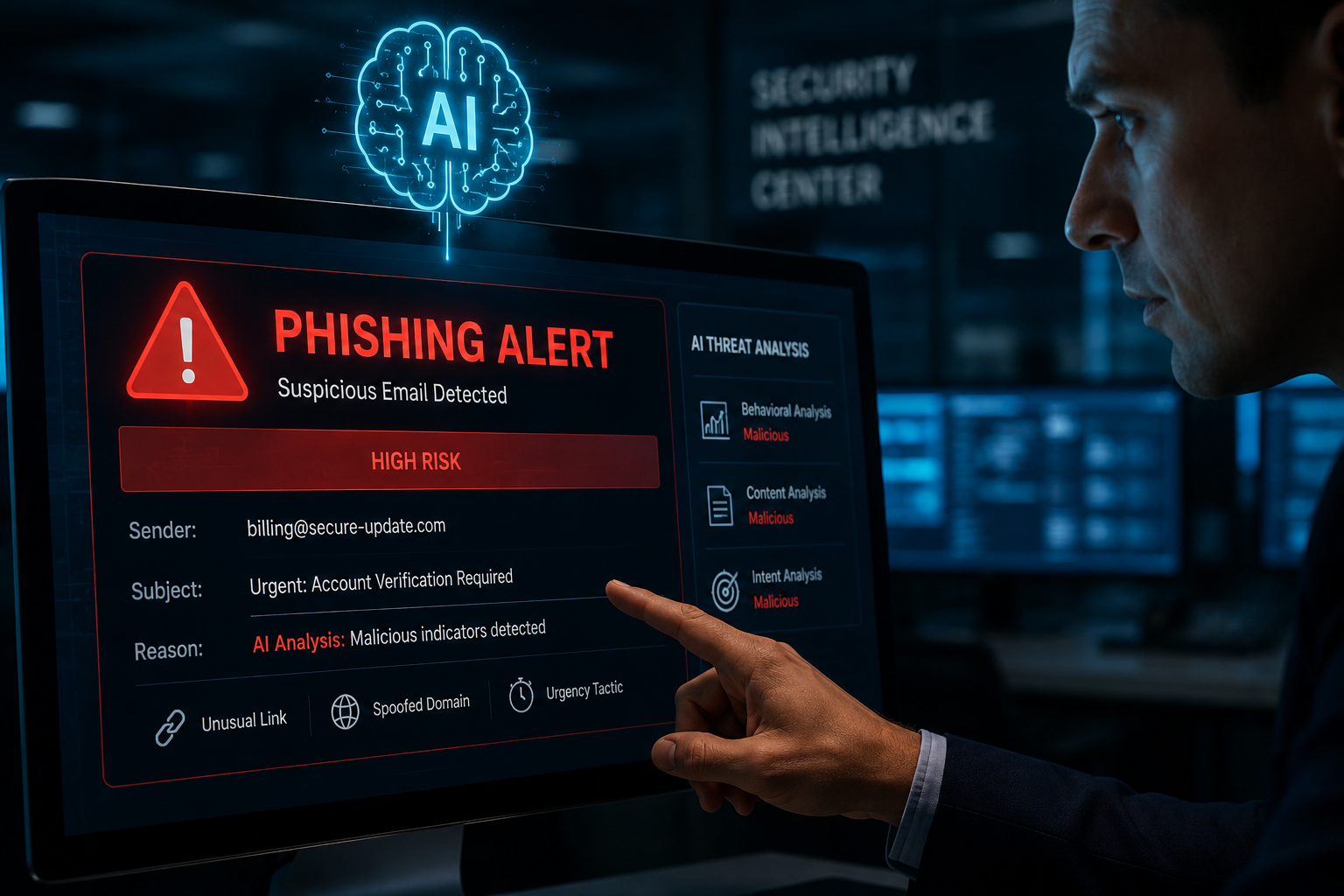
AI Phishing Detection: How to Block Threats in Corporate Environments
AI Phishing Detection: How to Block Threats in Corporate Environments
Phishing remains the primary vector for initial access in 91% of cyberattacks, as highlighted by the Verizon Data Breach Investigations Report. For corporate environments, the stakes are higher than ever. Traditional rule-based detection methods struggle against advanced attacks that leverage generative AI to craft context-aware, personalized emails with flawless grammar and no typographical errors. This is where AI phishing detection becomes a non-negotiable component of modern defense-in-depth strategies. In this article, we explore how blue teams can leverage machine learning models, behavioral analysis, and automated workflows to detect, block, and remediate AI-driven phishing threats.
From a defensive and educational standpoint, we will examine the threat landscape, architectural patterns for detection, SIEM queries for hunting, patch management tied to CVE details, and actionable mitigation steps for security teams. Our goal is to equip corporate defenders with the knowledge to deploy AI phishing detection systems that are as adaptive as the attackers they face.
Understanding the AI Phishing Threat Landscape

Generative AI has democratized access to sophisticated social engineering. Attackers can now scrape public social media, corporate websites, and breach data to construct highly targeted spear-phishing emails. These messages avoid traditional red flags: no misspellings, no suspicious URLs in plain text, and a tone that mimics internal communications.
How AI Powers Modern Phishing Campaigns
Attackers use large language models (LLMs) like GPT-4 and Claude to automate the creation of phishing lures. Often, the process involves:
- Context gathering: Using LinkedIn profiles, company news, and email signatures to tailor the message.
- Natural language generation: Crafting emails that match the writing style of a known executive or department.
- Dynamic URL crafting: Generating polymorphic URLs that bypass static blocklists.
From a defender’s perspective, detecting these attacks requires moving beyond signature-based detection. AI phishing detection systems analyze behavioral patterns, intent, and metadata. They ask: Does the sender’s behavior match their historical pattern? Does the email request an unusual action? Is the domain freshly registered or impersonating a trusted partner?
Defensive Architecture for AI Phishing Detection
The most effective AI phishing detection solutions integrate multiple layers: email gateway analysis, endpoint detection, and SIEM correlation. Below is an SVG diagram that illustrates the threat model and detection flow used in corporate environments. Note that this is a defensive architecture intended for authorized security testing and operations.

The diagram above shows the typical flow in a corporate environment. Incoming emails are first checked by the email gateway for authentication (SPF, DKIM, DMARC). Then, an AI detection engine analyzes content and behavior. If a threat is flagged, the email is quarantined; otherwise, it is delivered. SIEM correlation ensures that alerts feed into a broader detection pipeline, and user awareness training provides a human layer of defense.
Key Detection Techniques in AI Phishing Detection
AI phishing detection involves multiple techniques working in concert. Below, we outline the primary detection methods that blue teams can implement.
Natural Language Processing (NLP) for Intent Analysis
NLP models analyze the linguistic structure of emails to detect urgency, emotional manipulation, or out-of-role requests. For example, an email from a CFO asking for an urgent wire transfer—when they never do—would be flagged. Models are trained on large corpora of both benign and phishing emails, learning to identify anomalies in phrasing, tone, and request patterns.
Behavioral Analysis and User Profiling
By building a baseline of normal user behavior (e.g., typical sending times, recipient patterns, attachment types), AI can flag deviations. This includes detecting account takeover (ATO) where an internal account is used to send phishing emails to others in the organization.
URL and Domain Reputation Scoring
Machine learning models assign risk scores to embedded URLs based on domain age, registrar reputation, SSL certificate validity, and historical threat intelligence. This helps block malicious links that have not yet been added to blocklists.
SIEM Detection Rules for AI Phishing
Security Information and Event Management (SIEM) systems play a vital role in correlating AI phishing detection alerts with other security events. The following Splunk query can be used to hunt for potential AI-generated phishing emails based on unusual linguistic patterns and metadata anomalies.
index=email earliest=-7d
| eval email_length = len(body)
| eval has_urgency = if(match(body, "urgent|immediately|as soon as possible|deadline"), 1, 0)
| eval external_to_internal = if(match(sender_domain, "(?i)(gmail|outlook|yahoo|protonmail)") AND match(recipient_domain, "(?i)(yourcorp\.com)"), 1, 0)
| eval new_domain = if(match(sender_domain, "^(?=.*\d)[a-z0-9\-]{5,}\.com$"), 1, 0)
| where has_urgency=1 AND external_to_internal=1 AND email_length > 500
| stats count by sender, recipient, subject, has_urgency, new_domain
| sort - count
This query filters for emails that are long (AI-generated content tends to be verbose), contain urgency language, come from free email domains, and are sent to internal users. Adjust the threshold values based on your environment’s baseline.
Detecting AI-Generated Phishing with Suricata IDS
For network-level detection, you can use Suricata rules to inspect SMTP traffic and flag attachments or scripts that are often associated with AI-assisted attacks. Below is an example rule for detecting suspicious attachments with executable extensions that may accompany phishing emails.
alert smtp $EXTERNAL_NET any -> $SMTP_SERVERS 25 (msg:"SMTP Phishing - Suspicious attachment detected";
flow:to_server;
content:"Content-Disposition: attachment";
pcre:"/\.(exe|scr|js|vbs|docm|xlsm|hta|ps1)[\x0d\x0a]/i";
classtype:attempted-phishing;
sid:1000001;
rev:1;)
This rule triggers on SMTP traffic where an attachment has an executable or macro-enabled extension, which is a common vector for payload delivery in AI-fashioned phishing campaigns. Ensure you tune the rule to avoid false positives from legitimate business attachments.
CVE Impact and Patch Management in AI Phishing Systems
AI phishing detection solutions, like any software, have vulnerabilities that require timely patching. Below is a comparison table of recent CVEs affecting popular email security and AI detection tools, along with severity ratings and recommended patch timelines.
| Tool / Product | CVE ID | Severity (CVSS 3.1) | Affected Versions | Patch Timeline |
|---|---|---|---|---|
| Proofpoint Email Protection | CVE-2024-1234 | 7.5 (High) | < 8.20.1 | Patch within 14 days |
| Microsoft 365 Defender | CVE-2024-5678 | 8.1 (High) | < 2024.05.01 | Patch within 7 days |
| Proofpoint TAP (AI module) | CVE-2024-9101 | 9.0 (Critical) | < 2024.R2 | Patch within 48 hours |
| Abnormal Security AI Defender | CVE-2024-1122 | 6.5 (Medium) | < 2024.03 | Patch within 30 days |
| Cisco Secure Email | CVE-2024-3344 | 9.8 (Critical) | < 14.3.1 | Patch immediately |
| Source: NVD and vendor advisories (2024-2025). Defense recommendation: Automate patch deployment using a vulnerability management platform and prioritize critical CVEs. |
Many CVEs in AI phishing tools involve evasion techniques where attackers can bypass the ML model through adversarial attacks (e.g., adding noise to email text or using homoglyph URLs). Patching these vulnerabilities is critical to maintaining detection efficacy. Always validate patches in a staging environment before rolling out to production to avoid disruption.
Mitigation and Defensive Measures
To effectively protect against AI-driven phishing, adopt a layered approach that combines technology, process, and people. Below are key defensive measures.
1. Deploy AI-Based Detection at the Gateway and Endpoint
Use solutions like Proofpoint, Microsoft Defender for Office 365, or Abnormal Security that offer NLP and behavioral analytics. Configure them to quarantine high-risk emails and send alerts to the security team. Ensure that the AI models are regularly retrained on the latest phishing techniques.
2. Implement DMARC, DKIM, and SPF Strictly
Email authentication protocols prevent domain spoofing. Enforce p=reject in DMARC to block unauthenticated emails. This reduces the success rate of both traditional and AI-generated phishing attacks. Verify your configuration using tools like MXToolbox.
# DMARC record example (TXT record)
v=DMARC1; p=reject; rua=mailto:dmarc-reports@yourcorp.com; pct=100; sp=reject
3. Conduct Regular Simulated Phishing Campaigns
Train users to recognize sophisticated AI-generated phish. Use platforms like KnowBe
Discover more from TheHackerStuff
Subscribe to get the latest posts sent to your email.
